
Every business owner knows how important it is to keep track of who is at work, and for how long. That’s why many companies are currently using paper sheets, spreadsheets, or punch cards to note down employees’ working hours — but these methods are manual and prone to errors.
That’s where attendance management software comes into play. This tool will allow you to create an efficient system to manage your employees’ working hours, making sure that the right data is being used when paying their salaries, while providing valuable insights about who’s actually coming and going.
In this blog post, we’ll give you a quick rundown on what attendance management is, how it works, its key features, and more.
What Is Attendance Management Software?
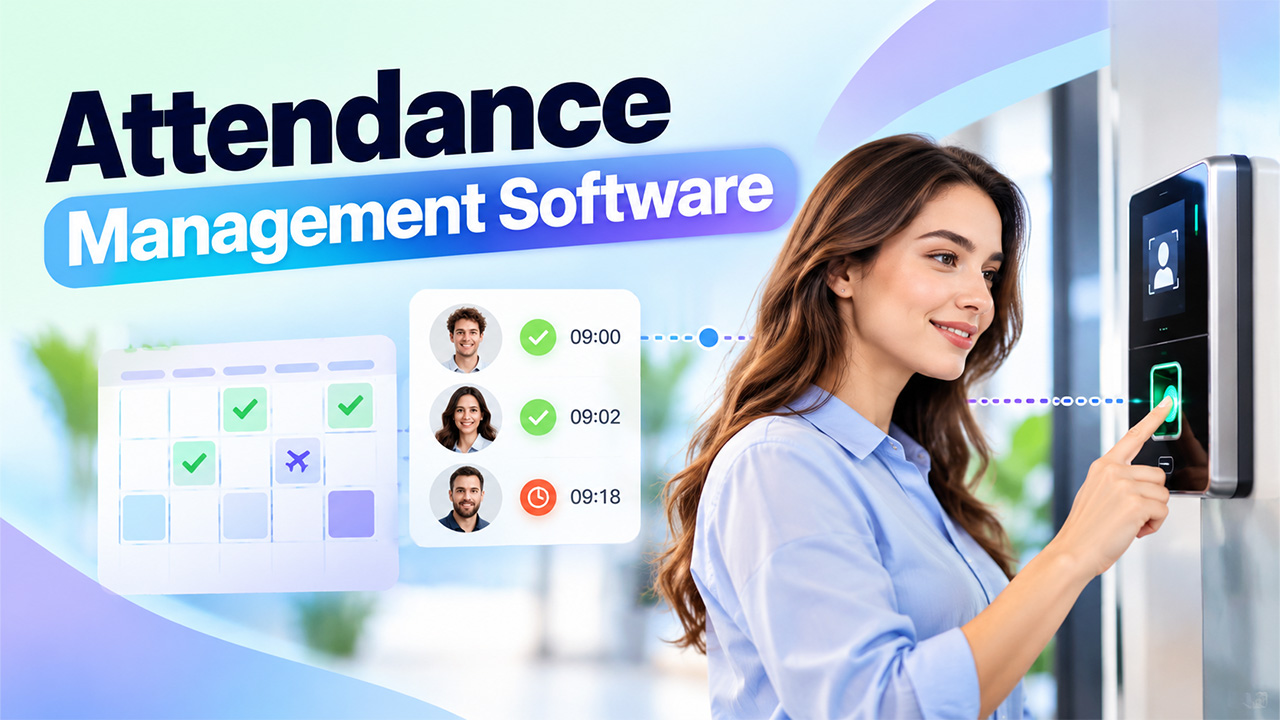
At its most basic level, attendance management software tracks when employees start work, take breaks, and end their workday — then stores that data all in one place where managers can easily see it whenever they need.
Many companies now rely on these systems instead of keeping paper logs. And beyond just tracking when people come and go, this type of software keeps tabs on who takes what kind of leave (and how much), as well as whether anyone comes in late or is absent from work regularly.
Each record includes an individual’s name, date, and a specific time. For small businesses, this may mean a few lines of simple data. But big corporations will likely have thousands of those lines. Employees can report their working hours through a phone, computer, or designated device, while managers review records and approve or correct entries as needed. To improve attendance accuracy, businesses can also use Face & fingerprint checks to verify employee identities and help prevent buddy punching.
The main advantage of using this approach over traditional methods is that it ensures your timekeeping data remains up-to-date — but it does so without losing sight of important details like who is eligible to take which leaves under certain circumstances. Plus, human resources departments often leverage similar types of information to ensure everyone complies with applicable rules governing time off from work.
How Does Attendance Management Software Work?
Here’s the step-by-step process:
- Setup Stage: In this stage, you as a manager will have added your employees along with their shifts and defined the policies around leaves & overtime. Then, based on this data provided by you, time and attendance software works like magic!
- Clock In – Employees clock in using a mobile app, web page, kiosk, or fingerprint reader. Every punch has a timestamp (and optionally, a GPS location).
- Storage – Your software keeps everything in a secure cloud database. It flags late arrivals, missed punches, and early exits in real time.
- Review – Managers can view employee time data and make changes to schedules or request time off all on one dashboard.
At the end of every pay period, these systems total your hours and send everything to your payroll department for processing. They’ll also track how often your staff is coming late, calling out sick or working overtime — by team.
Many tracking platforms also keep time entries on file when employees lose their internet connection, syncing timesheets once connectivity is restored. By using business process automation, organizations can streamline repetitive workflows, reduce manual effort, and improve consistency in recordkeeping. When employees and managers have access to the same time records, it becomes easier to verify working hours, resolve discrepancies, and reduce disputes over reported time.
Key Features of Attendance Management Software
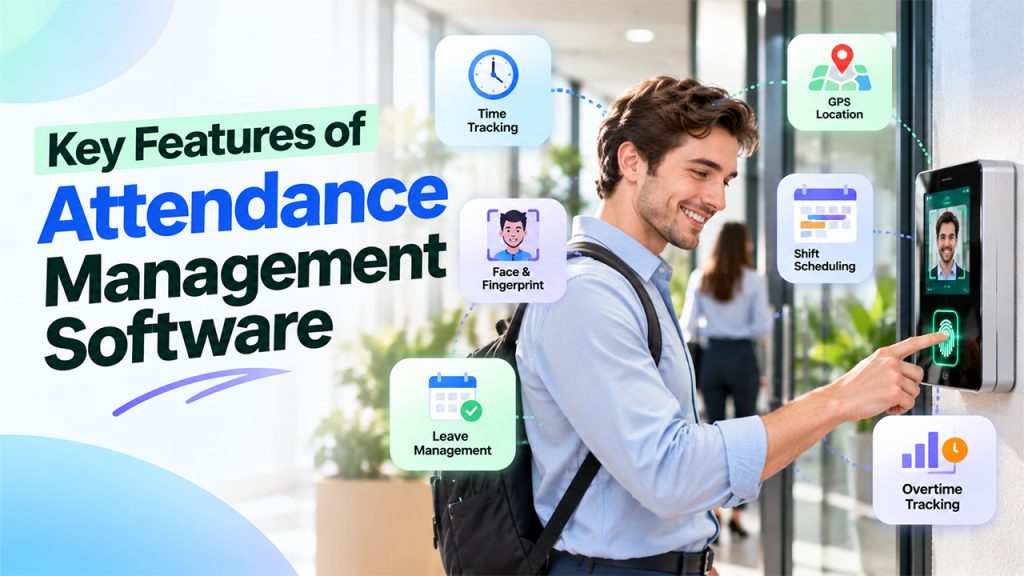
- Time Clocks – These include flexible options to allow employees to check into their schedule using either a phone, a computer, or a shared kiosk. They help remote and onsite teams use the same tool without having to acquire additional ones. Each of these entries gets a timestamp to keep records consistent between sites.
- GPS & Location Checkups – Most attendance tracker apps will record when workers clocked into jobs and where they were doing it. Managers can then configure a boundary around every site, making it impossible (or difficult) to enter times when someone was off location. It’s especially useful for field crews, delivery teams and anyone working onsite at client sites.
- Face & fingerprint checks – to ensure your team’s data stays safe, face scans and fingerprint checks confirm who is clocking in to prevent “buddy punching”. With everything taking just a few seconds.
- Shift scheduling – managers create and send out shifts to employees while still having flexibility when someone goes down. The system cross-checks planned vs actual hours worked and automatically alerts management if there are any discrepancies. Employees also view their schedules directly on their phones, decreasing chances of missing shifts.
- Leave management – Request and manage leaves through the app, and managers can easily accept/decline requests. We track balances and update them instantly whenever an employee receives a leave approval.
- Overtime & rule tracking – Teams can define limits on how many hours they want workers to work every day/week. The app will alert their manager when a worker hits that limit, helping businesses comply with labor rules & keep their pay expenses down.
Benefits of Attendance Management Software
Correct Records
When you implement the right attendance management software, you’ll be able to track the precise moment when your people enter at different times during the day, because everything will remain the same across all devices, there’s no risk of discrepancy between your records and the company’s records.
Time Saving
Managers won’t have to go around picking up sheets from employees, tallying them up, then typing into payroll manually. That process alone takes hours upon hours, but software will do it in just minutes — leaving managers more room to dedicate to focusing on their team’s needs.
Fewer disputes
Every worker sees their own hours and leave balance in one place. This shared understanding means fewer arguments over pay and ensures everyone trusts one another.
Easier rule compliance
With the software maintaining an entire history of every worker’s hours, breaks, and leave taken, auditors and labor office workers asking for proof are instantly met with complete documentation that can be pulled up within seconds.
Better planning
Reports showing which teams experience the most absences and which shifts struggle with staffing help managers make smarter decisions about scheduling and hiring. Leaders can use these insights to understand how absenteeism affects productivity and establish measurable improvement targets. Using tools available through the OutrightCRM store, businesses can explore solutions that support more organized workflows, improve operational efficiency, and help teams manage their day-to-day activities effectively.
Support for Remote Teams
Cloud tools enable remote employees (or field crews), along with office staff, to access the same systems. It also enables managers to track all their teams from a single screen — no matter where they are working.
Manual Attendance Tracking vs. Attendance Management Software
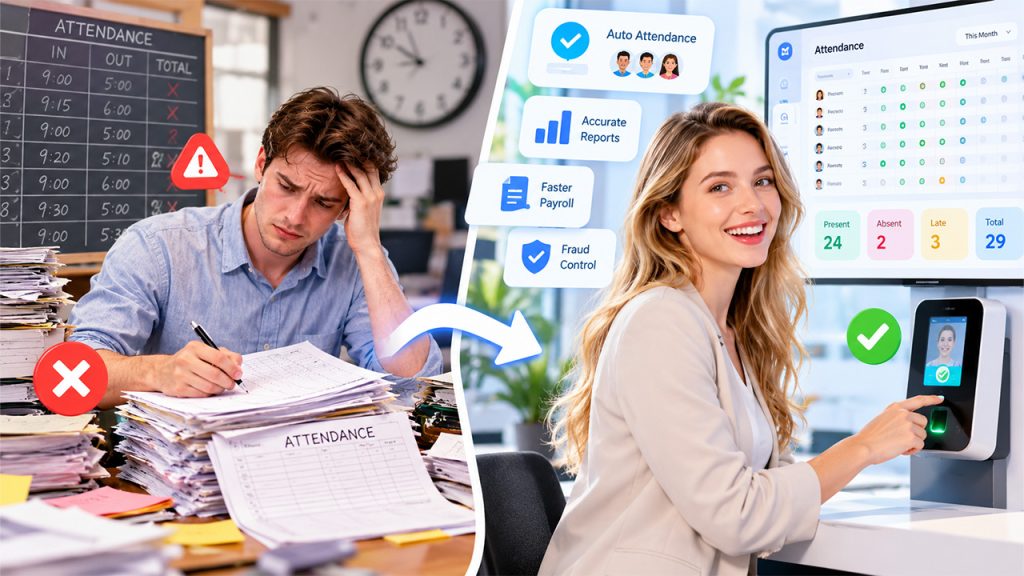
Manual attendance tracking and attendance management software differ in five areas that affect cost, speed, and trust.
Data entry – manual vs software (Staff must manually write/take notes down/record entries, whereas your software will automatically record this when you clock in to work).
Errors – manual vs software (Manual records will be filled with errors whereas software records are less prone to errors).
Payroll Prep – Manually compiling payroll totals takes days to verify, whereas with software you can do this in minutes.
Fraud Control – Paper provides minimal protection against fraud, whereas software allows for additional security checks such as location and face checks.
Reports – Manually creating reports requires significant effort, but with software your report needs are always met.
The manual way of doing things works when you have a really small teams that operate on fixed hours, without many changes.
Using spreadsheets may make your life easier, although there’s always going to be someone who has to input data and verify figures.
Software solutions suit all companies seeking proper records, quicker payrolls, and less paperwork. It can easily grow as your business expands.
Best 5 Time and Attendance Tracking Software
- Zoho People (attendance, leave, shift tools, etc. in one HR suite)
- Deputy (focuses on shift scheduling and time tracking)
- Connecteam (a mobile time clock with GPS checks for remote teams)
- Clockify (a simple time tracking and timesheets for small teams)
- Jibble (records attendance with face scans and GPS checks)
Conclusion
A good attendance management software ensures your business has accurate attendance records while streamlining your payroll process. Plus, it introduces consistency across all teams. With GPS checks, face scans, shift plans, and more, there’s never been an easier way to manage attendance.
Frequently Asked Questions
What is attendance management software?
It is a digital tool that tracks, records, and manages employee attendance, work hours, and leave automatically.
What are the key features of attendance management software?
Common features include biometric or GPS check-ins, shift scheduling, leave management, real-time reports, payroll integration, etc.
How does attendance management software benefit businesses?
It reduces errors, saves administrative time, and ensures accurate payroll.
Can it be used for remote or hybrid teams?
Yes, most tools have their own mobile apps and GPS-based check-ins to track attendance from any location.
Is attendance management software suitable for small businesses?
Yes, many solutions are affordable and scalable.