
Employees often have questions about salary payments, leave policies, attendance records, payroll deductions, benefits, company policies, and other workplace-related matters. While these questions may seem simple, handling them manually can become challenging when an organization has hundreds or thousands of employees.
When employees do not receive timely responses, it can lead to frustration, communication gaps, repeated follow-ups, and reduced workplace productivity. This is where an HR helpdesk becomes valuable.
An HR helpdesk provides a centralized system where employees can submit questions, report issues, request assistance, and track the progress of their queries. With HR helpdesk software, organizations can simplify employee communication, organize incoming requests, and help HR teams resolve issues more efficiently.
In this guide, we will explore what an HR helpdesk is, how it works, its key features, benefits, and how businesses can choose the right solution for managing employee queries.
What Is an HR Helpdesk?
An HR helpdesk software is a centralized support system designed to manage employee questions, requests, complaints, and HR-related issues. It acts as a communication channel between employees and the human resources department.
Instead of contacting HR professionals through multiple emails, phone calls, or messaging platforms, employees can submit their requests through a single platform.
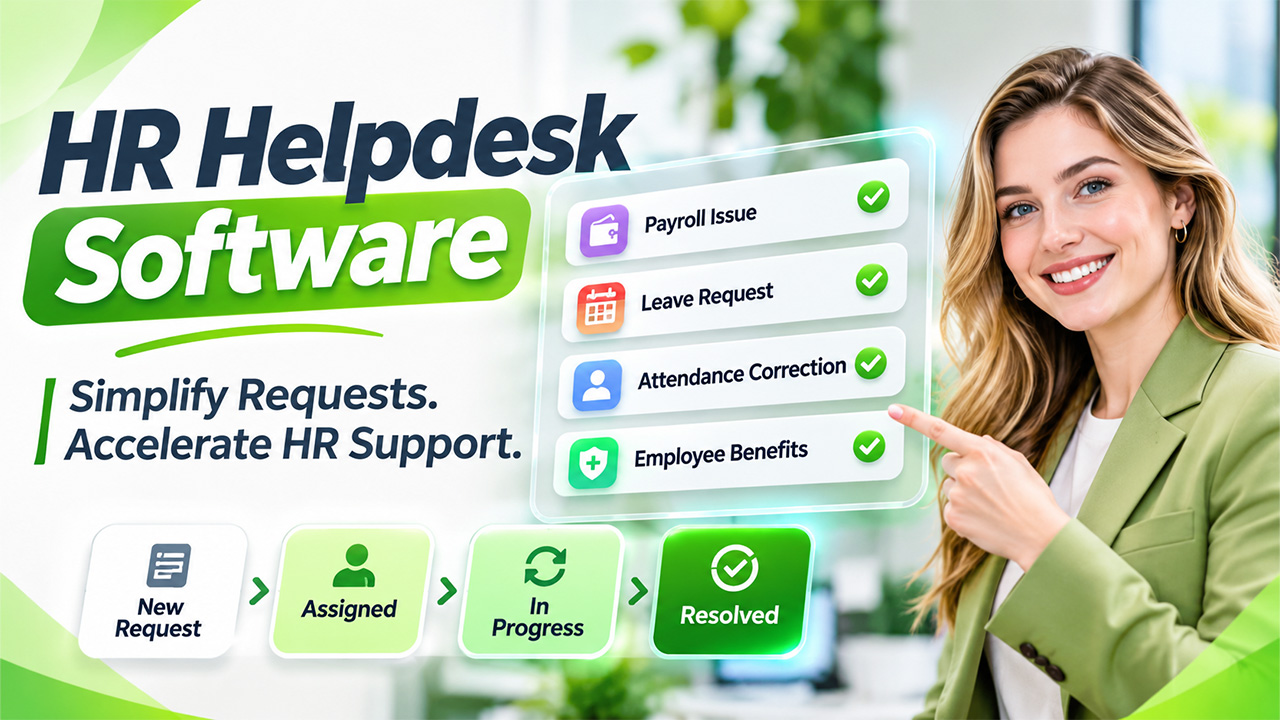
For example, an employee who wants to correct an attendance record can raise a request through the helpdesk. The HR team receives the request, reviews the details, assigns it to the appropriate person, and provides a response.
Modern HR helpdesk software also allows organizations to automate repetitive tasks, categorize employee queries, prioritize urgent requests, and monitor resolution times.
Common employee queries handled through an HR helpdesk include:
- Payroll and salary-related questions.
- Leave balance and approval requests.
- Attendance and timesheet corrections.
- Employee onboarding assistance.
- Health insurance and employee benefits.
- Company policies and workplace guidelines.
- Employment letters and documentation.
- Performance management queries.
By bringing these interactions together, organizations can create a more organized and accessible HR support experience.
How Does an HR Helpdesk Work?
An HR helpdesk generally follows a structured process that takes an employee query from submission to resolution.
A well-organized HR ticketing system helps HR professionals manage incoming requests without losing track of important conversations.
Here is how the process typically works:
1. Employee Submits a Request
Employees access the helpdesk portal and submit their questions or concerns. They may select a category, explain the issue, and attach relevant documents if required.
2. Request Is Automatically Categorized
The system categorizes incoming requests based on their nature, such as payroll, attendance, leave, recruitment, or employee benefits.
This makes it easier for HR professionals to identify the right department or team member.
3. Ticket Is Assigned to the Right Person
Once submitted, the request is assigned to the appropriate HR representative. Some platforms support automatic assignment based on request categories, employee departments, or workload.
4. HR Team Reviews the Query
The assigned HR professional examines the request, checks the relevant information, and communicates with the employee if additional details are required.
5. Query Is Resolved and Closed
After resolving the issue, the HR representative updates the ticket status and notifies the employee. The request can then be marked as closed.
6. Performance Is Monitored
HR managers can review reports to understand how many requests are received, how quickly they are resolved, and which issues occur most frequently.
This structured approach helps reduce manual follow-ups and improves accountability across HR operations. Implementing automated HR workflows can help standardize routine processes, track approvals, and improve visibility across HR activities.
Key Features of HR Helpdesk Software
Choosing the right platform requires understanding the features that support everyday employee query management.
Here are some important capabilities businesses should consider:
1. Centralized Employee Query Management
A centralized dashboard allows HR teams to manage employee questions from one location. Rather than searching through different email conversations, professionals can access request details, communication history, and ticket status through a single interface.
This makes employee support more consistent and easier to manage.
2. Automated Ticket Assignment
A modern employee helpdesk software solution can automatically assign requests to the appropriate HR representative based on predefined rules.
For instance, payroll-related queries can go directly to the payroll team, while leave requests can be routed to the employee’s reporting manager or HR operations team.
Automation reduces unnecessary administrative work and helps employees receive responses from the right people.
3. Ticket Prioritization and Tracking
Not every employee request requires the same level of urgency. A salary discrepancy or access-related issue may need faster attention than a general policy question.
An effective helpdesk allows HR teams to assign priority levels, monitor ticket progress, and identify unresolved requests.
4. Self-Service Knowledge Base
A knowledge base provides employees with access to frequently asked questions, company policies, process documents, and helpful guides.
Employees can find answers independently instead of submitting repetitive questions.
For example, an employee checking the annual leave policy can access the relevant document through the portal.
5. Reporting and Analytics
Reporting tools help HR managers understand employee support performance.
Common metrics include:
- Total requests received.
- Average resolution time.
- Pending and overdue tickets.
- Frequently reported issues.
- Employee satisfaction ratings.
- Individual and team performance.
These insights help organizations identify operational gaps and improve their support processes.
Benefits of Using HR Helpdesk Software
Implementing a dedicated helpdesk can improve the way organizations communicate with employees and manage internal HR responsibilities. A centralized internal knowledge base for employees can also help staff access HR policies, onboarding information, and internal process guidelines without repeatedly contacting HR teams.
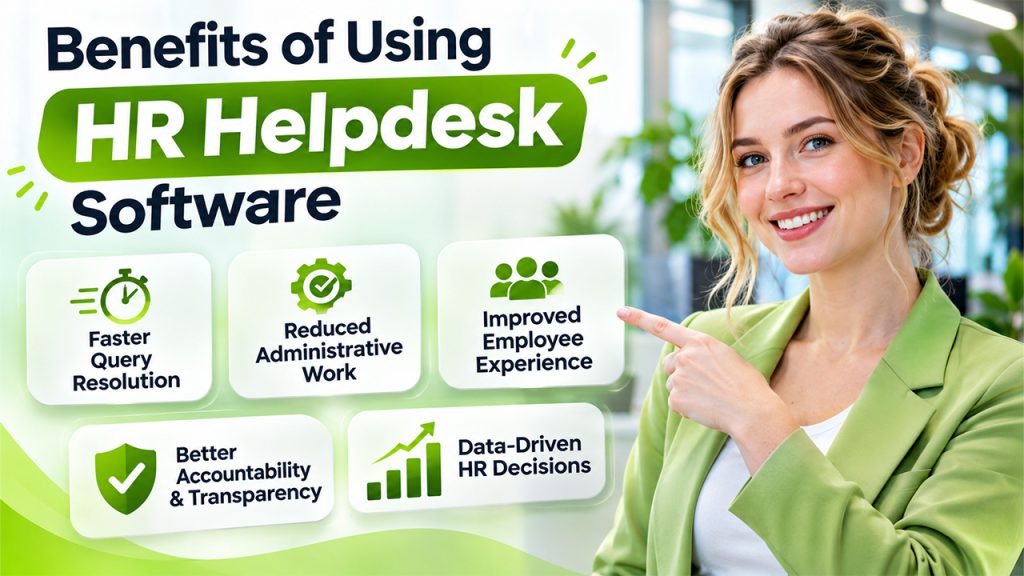
Let’s explore some important benefits:
1. Faster Resolution of Employee Queries
When employee requests are managed through a structured platform, HR professionals can prioritize tasks and respond more efficiently.
An organized HR case management process also ensures that important employee concerns do not get buried in lengthy email conversations.
Employees can track their requests and receive updates without repeatedly contacting HR representatives.
2. Reduced Administrative Work
HR teams spend considerable time answering repetitive questions about payroll dates, leave balances, attendance policies, and employee benefits.
Automation and self-service resources reduce the need to handle every query manually.
This allows HR professionals to dedicate more time to recruitment, employee engagement, workforce planning, and organizational development.
3. Improved Employee Experience
Employees value clear communication and timely support. When they know where to submit requests and how to track progress, workplace communication becomes more convenient.
An accessible helpdesk also creates a transparent process where employees feel their concerns are being acknowledged.
4. Better Accountability and Transparency
Every request has a record, an assigned owner, and a status. This makes it easier for managers to understand who is responsible for resolving an issue.
It also reduces the possibility of forgotten requests and unclear responsibilities.
5. Data-Driven HR Decisions
Analyzing employee queries can reveal recurring workplace problems.
For example, if employees frequently raise questions about attendance corrections, the organization may need to improve its attendance policy or introduce clearer communication.
Effective HR service delivery uses these insights to improve processes, employee support, and overall HR efficiency.
HR Helpdesk vs. Traditional HR Support: What’s the Difference?
Traditional HR support usually depends on emails, phone calls, spreadsheets, and direct conversations. Although these methods can work for smaller organizations, they become difficult to manage as the workforce grows.
An HR helpdesk introduces a more structured approach.
| Comparison | Traditional HR Support | HR Helpdesk |
| Query submission | Emails and phone calls | Centralized portal |
| Request tracking | Mostly manual | Automated tracking |
| Task assignment | Manual coordination | Rule-based assignment |
| Communication | Scattered conversations | Centralized communication |
| Reporting | Manual spreadsheets | Automated reports |
| Follow-ups | Employee-driven | Status notifications |
| Knowledge sharing | Repeated explanations | Self-service knowledge base |
The main difference is visibility and organization. A dedicated helpdesk makes it easier to manage employee requests while maintaining a consistent support process.
Best Practices for Effective Employee Query Management
Simply implementing a helpdesk platform does not guarantee better employee support. Organizations must also establish clear processes and encourage employees to use the system. Providing structured HR ticket management can help assign responsibilities, track employee requests, monitor follow-ups, and ensure issues are handled consistently.
Here are some practical best practices:
1. Create Clear Query Categories
Organize requests into relevant categories such as payroll, attendance, leave, benefits, onboarding, and employee relations.
Clear categories help employees submit requests correctly and reduce unnecessary ticket transfers.
2. Establish Response and Resolution Targets
Define realistic timelines for acknowledging and resolving different types of requests.
For example, urgent payroll issues may require quicker attention than general policy questions.
3. Build a Useful Knowledge Base
Regularly update company policies, FAQs, process documents, and employee guides.
Make sure employees can easily search for information and access relevant resources.
4. Train HR Teams and Employees
HR professionals should understand how to manage requests, update ticket statuses, and use reporting tools.
Employees should also receive basic guidance on submitting requests and tracking their progress.
5. Review Performance Regularly
Monitor ticket volumes, resolution times, employee feedback, and recurring issues.
Use these insights to identify bottlenecks and improve the overall support experience.
How to Choose the Right HR Helpdesk Software
Selecting the right platform depends on your organization’s workforce size, HR processes, technical requirements, and support expectations.
Before investing in a solution, consider the following factors:
Ease of use
Choose a platform with a simple interface that employees and HR professionals can navigate easily.
Automation capabilities
Look for automated ticket assignment, notifications, reminders, and workflow management.
Integration options
Check whether the platform integrates with existing HRMS, payroll, attendance, and communication systems.
Data security
Ensure that employee information is protected through appropriate access controls, encryption, and security policies.
Reporting capabilities
Select a solution that provides useful insights into ticket volumes, resolution times, and team performance.
Scalability
Make sure the platform can support your organization’s changing workforce and increasing query volumes.
The right HR helpdesk software should address current employee support challenges while providing enough flexibility for future business growth.
Conclusion
An efficient HR helpdesk is more than just a platform for answering employee questions. It creates a structured communication channel that helps organizations manage requests, improve transparency, and provide consistent employee support.
With centralized request management, automated workflows, ticket tracking, and self-service resources, businesses can reduce repetitive administrative work and improve HR efficiency.
Implementing HR helpdesk software can also help HR professionals understand recurring employee concerns and make informed decisions about improving internal processes.
For organizations looking to strengthen employee communication and streamline HR operations, adopting a dedicated helpdesk solution can be a practical step toward more effective workforce management.
Frequently Asked Questions
What is an HR helpdesk used for?
An HR helpdesk is used to manage employee questions, complaints, requests, and workplace-related issues. It provides a centralized platform where employees can submit queries and HR teams can track, assign, and resolve them.
How does an HR ticketing system improve HR operations?
An HR ticketing system organizes employee requests into trackable tickets. It supports automated assignment, priority management, status updates, and reporting, helping HR teams manage queries more efficiently.
Can small businesses benefit from employee helpdesk software?
Yes. Small businesses can use employee helpdesk software to organize HR requests, reduce repetitive communication, maintain query records, and provide consistent support without requiring a large HR team.
What is the difference between HR helpdesk and HR case management?
An HR helpdesk generally handles routine employee questions and service requests, while HR case management focuses on managing more complex or sensitive employee matters that may require investigation, documentation, and multiple follow-up actions.
What should businesses look for in HR helpdesk software?
Businesses should consider ease of use, automated ticket assignment, self-service resources, reporting, integration capabilities, data security, and scalability when selecting an HR helpdesk solution.